

Try the #1 software for $1/month.
Norem ipsum dolor sit amet, consectetur adipiscing elit. Etiam eu turpis molestie, dictum est a, mattis tellus. Sed dignissim, metus nec accumsan.

Technology Innovation

The best gym management software does more than keep a class calendar. It connects the work that keeps a fitness business running: memberships, scheduling, billing, check-ins, staff management, communication, reporting, sales, and the mobile experience members use every day.
The scale of that work continues to grow. The Health & Fitness Association reports that a record 81 million Americans belonged to a gym, studio, or other fitness facility in 2025. Including day passes, guest privileges, and other non-member visits, more than 100 million Americans used a fitness facility during the year.
Technology is also more embedded in how people exercise. The American College of Sports Medicine ranked mobile exercise apps No. 4 among its 2026 fitness trends, based on a survey of 2,000 fitness professionals, researchers, and clinicians. For gym owners, that means software now has to support both sides of the experience: running the business behind the scenes and giving members simple digital tools outside the front desk.
This guide breaks down the gym software features worth evaluating, what each feature should accomplish, and where more advanced capabilities can create meaningful value.
Gym software, also called gym management or fitness management software, centralizes administrative, financial, and member-facing operations of a fitness business.
Modern gym management software combines three main capabilities. Administrative features manage member records, staff permissions, schedules, contracts, waivers, and check-ins. Client-facing features let members book classes, make payments, receive messages, and manage accounts. Growth-focused features support lead management, marketing automation, retention, reporting, retail, and other revenue activities.
Platforms like Wodify, Gymdesk, GymMaster, Glofox, and Zen Planner vary in how they package these capabilities. At the end of the day, you need all the features to work together.
For example, membership management should link member profiles with billing, attendance, contract status, and booking privileges. Check-in data should feed attendance reports. Failed payments should alert staff and trigger follow-up. Members shouldn’t need separate accounts to pay, book classes, or view schedules. Any shortfall here costs you more than time: clients drop out, revenue goals get missed, and acquisition grinds to a halt.
This connected model is central to Wodify’s gym management platform, which integrates scheduling, billing, client management, waivers, reports, communication, automation, point of sale, and a shared client and staff app into one product.
Depending on the platform and facility, gym management software can support:
Together, these functions form the backbone of any gym management system. In practice, they are not isolated tools but interconnected features that shape how a fitness business operates day to day.
The next step is to break these capabilities down into the core feature areas gym owners should evaluate when choosing software, and how each one impacts both staff efficiency and member experience.
For most fitness businesses, start with the features that affect members and staff every week. A useful feature should either remove operational work, improve the member experience, protect revenue, or give owners better visibility into the business.
| Feature Area | What to Look For | Business Benefit | Member Benefit |
| Membership management | Profiles, contracts, waivers, freezes, family accounts | Less front-desk admin and cleaner member records | Easier signup and account management |
| Booking and scheduling | Classes, appointments, waitlists, trainer availability | Better capacity and staff utilization | Faster booking and fewer scheduling hassles |
| Billing and payments | Recurring billing, cards/ACH, failed payment recovery | More predictable cash flow and less collections work | Simple, reliable payments |
| Check-in and access | Mobile check-in, access rules, 24/7 entry | Less manual check-in work and more access control | Faster entry and flexible training hours |
| Communication | Email, SMS, reminders, automated workflows | Consistent follow-up without repetitive admin | Timely reminders and useful updates |
| Member engagement | Performance tracking, milestones, streaks, retention signals | Helps coaches identify and engage members | Better visibility into progress |
| Reporting | Revenue, attendance, retention, lead and operational reports | Faster, data-driven decisions | Better-informed programming and service |
| Integrations | Accounting, marketing, access, API and automation tools | Fewer data silos and duplicate processes | More connected digital experience |
The right gym management software will depend on your size, membership, and type of fitness business. A boutique studio, a martial arts academy, a functional fitness gym, and a semi-private training facility can share the same basic software needs but often rely on a distinct set of individual features.
Membership management is the foundation of gym management software. Each member needs a reliable record that ties together their membership, contact information, billing status, attendance records, signed documents, and account activity.
Gym management platforms should support common membership changes without forcing staff into workarounds. That includes freezes, temporary holds, upgrades, renewals, cancellations, class packs, drop-ins, and recurring memberships.
Some fitness businesses also need family accounts, medical or coaching notes, emergency contacts, or custom client information. If sensitive data is stored, evaluate who can access it and whether those permissions fit your organization.
Wodify’s membership tools connect client management with billing, scheduling, contracts, waivers, check-ins, and other daily operations.
Digital onboarding should reduce the amount of information staff need to collect manually. A new member should be able to register, purchase the appropriate membership, complete a digital contract or waiver, and create a usable profile without a stack of paper at the front desk.
For youth programs, family management matters even more. Parents may need to oversee memberships, payments, bookings, and documents for multiple children.
Park’s Taekwondo offers a relatable example. The academy wanted automated billing, attendance tracking, and belt progression in place of paper-heavy workflows. After moving those records into Wodify, staff could use attendance information to identify students who had stopped showing up and connect participation with belt progression.
👉 See how Park’s Taekwondo digitized its workflows with Wodify
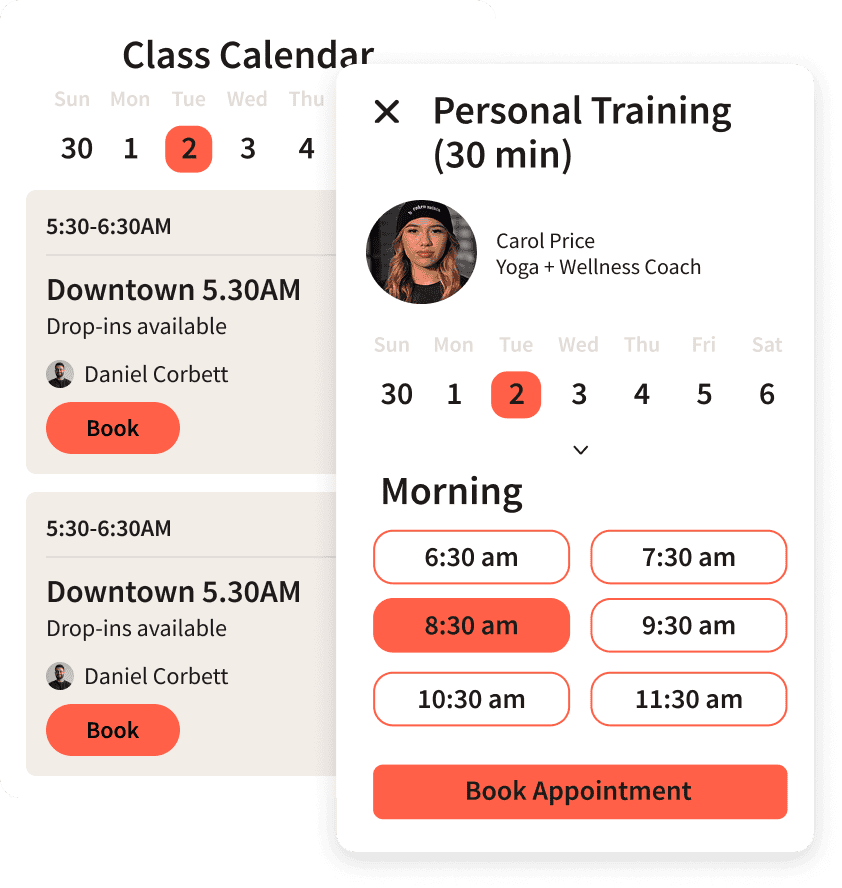
Booking is one of the gym software features members interact with most often. The system should make it easy to see availability, book classes, cancel reservations, and join waitlists.
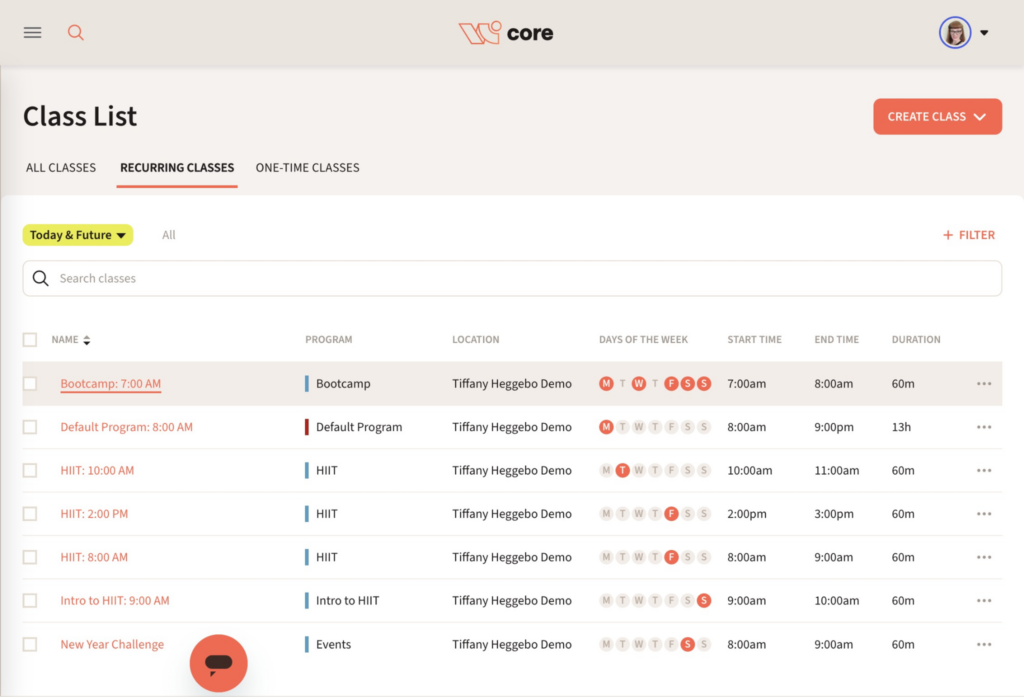
For staff, class scheduling should support capacity limits, coach assignments, booking cutoffs, recurring schedules, cancellations, and no-show policies. Personal training sessions and small-group businesses also need appointment and trainer scheduling.
Wodify includes class and appointment scheduling, automated waitlist management, and booking through the same mobile app used by clients and coaches.
Trainer management goes beyond putting a coach’s name next to a class.
Buyers should evaluate trainer availability, class and appointment assignments, staff permissions, payroll support, notifications, and reporting. Specialized businesses may also need room or equipment booking. If those resources matter to your operation, confirm that the software supports them natively.
Wodify includes class and appointment scheduling plus a staff payroll calculator. Its role system separates Client, Staff, Coach, Manager, and Admin access, although those five roles are predefined rather than fully customizable.
Effective staff utilization should be measurable, not assumed. Gym owner and Gym Business Coach Podcast host Tim Lyons recommends tracking “revenue per coach hour” and “coach utilization” alongside retention and conversion metrics—useful benchmarks when assessing whether scheduling software helps managers assign staff efficiently.
Trainer scheduling should support the service model instead of forcing every client into a traditional group-class structure, and your gym software should support that.
Automated billing reduces the recurring administrative work behind a membership business. Gym management software should generate charges, collect recurring payments, track transaction status, create receipts or invoices, and surface failed payments.
Payment methods vary by provider. Buyers may need credit cards, ACH or bank payments, one-click payment tools, or other digital payment options. Processor fees should always be evaluated separately from the software subscription.
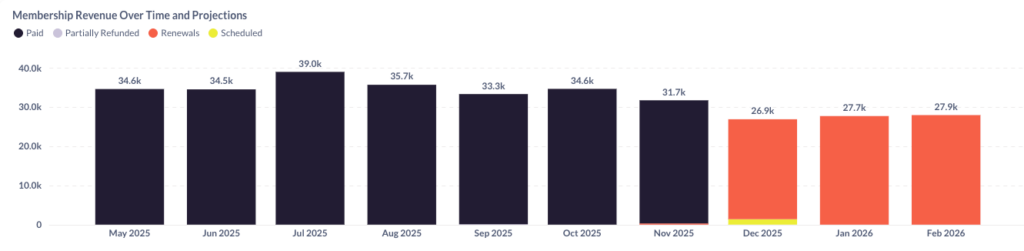
Wodify Payments uses Stripe for integrated online and in-person payment processing and connects transaction data with the client account and financial reporting.
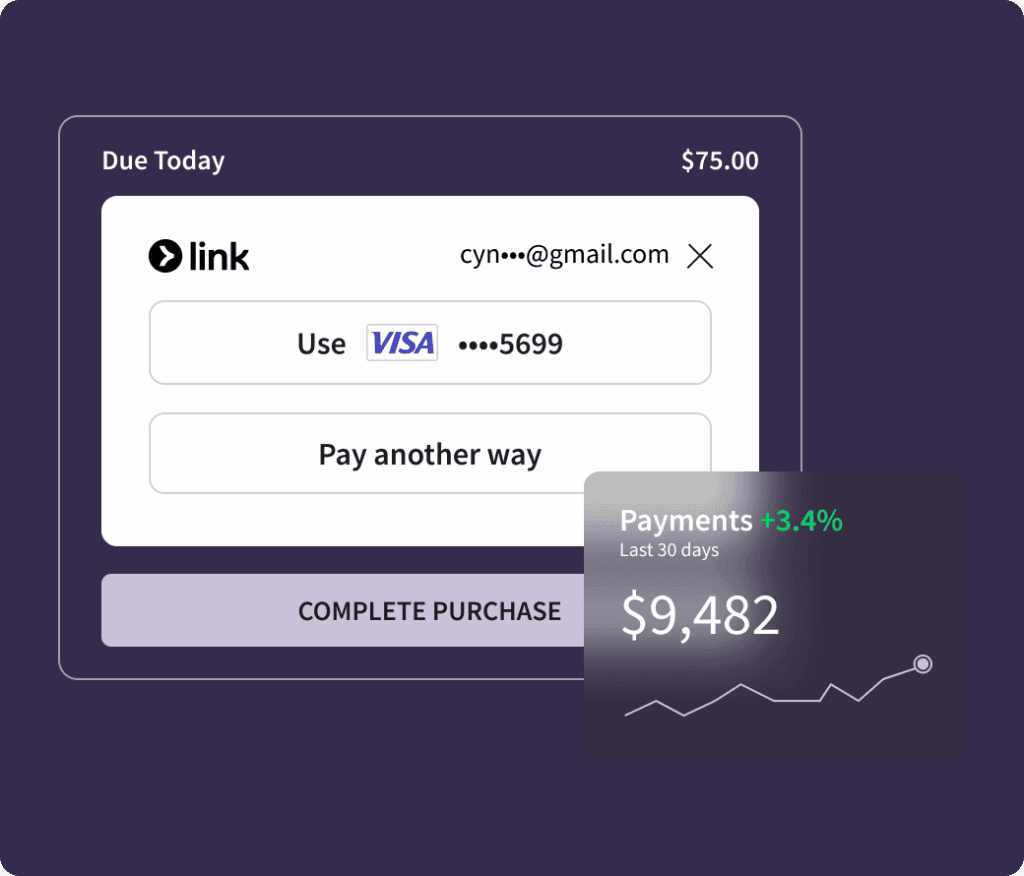
Gym owner Chris Cooper described what happened when he first adopted management software nearly two decades ago: “Clients could now bill and pay and book online. They would automatically get email reminders about their appointments from us. Problem solved.”
The technology has changed dramatically since 2006, but the business case has not. Software earns its keep when routine transactions no longer require routine staff intervention.
Failed payments deserve their own evaluation. Look for automatic retries, staff alerts, member notifications, payment-update links, and reporting that shows unresolved balances.
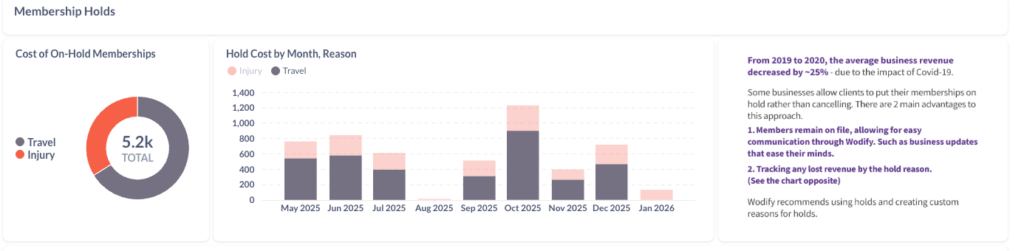
Also ask where payment information is stored, which processor handles card data, and how PCI DSS responsibilities are divided between the gym, software vendor, and processor. A claim of “integrated payments” does not remove the need to understand transaction fees or compliance responsibilities.
Attendance tracking connects the digital member record with what happens inside the facility.
Depending on the gym management system, members may check in with a mobile app, QR code, barcode, RFID or NFC credential, key fob, or connected access hardware. The software should validate whether a member is eligible to enter and record the visit.
Attendance data also has value beyond the front desk. A decline in visits can signal the need for member retention outreach.
Wodify’s 24/7 gym access control system uses the Wodify mobile app with compatible access hardware. Access can be granted or removed based on membership status, and operators can create time-based or zone-based access rules.
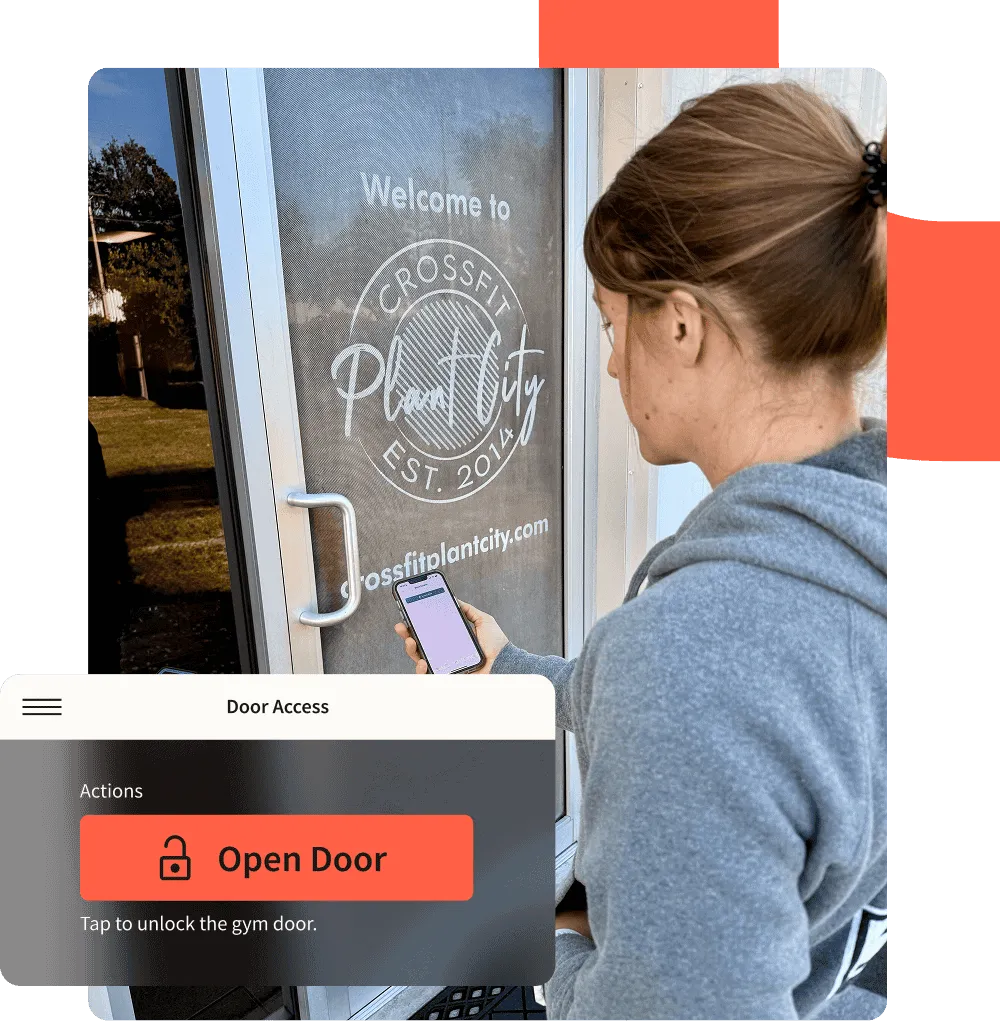
CrossFit Humanity previously required members to use two apps for facility access. Its Wodify customer study says moving access into the Wodify app simplified the member experience while allowing the gym to build paid access options around unused facility hours.
A mobile app is now part of the member experience. Members should be able to book classes, manage reservations, view account information, receive communication, and take common actions without calling the gym.
Automated reminders can support class confirmations, membership communication, missed payments, onboarding, and other predictable touchpoints. Email and SMS campaigns can handle routine outreach while coaches focus on conversations that require a person.
Wodify also supports in-app messaging, announcements, weekly streaks, and automated workflows. A branded mobile app is available for businesses that want the member experience presented under their own gym brand.
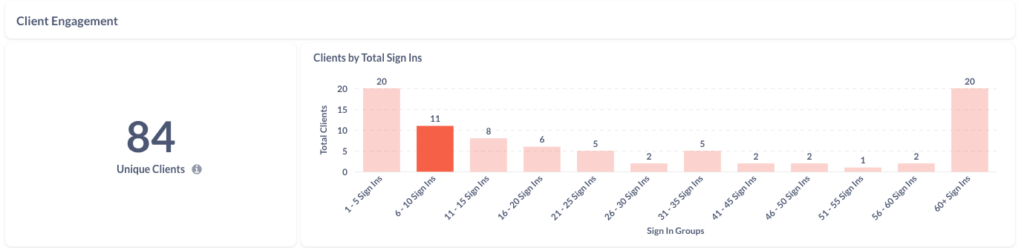
For functional fitness, strength training, CrossFit, HYROX, and similar models, performance data can be as important to the member experience as booking.
Wodify Perform lets athletes record results, review workout history, track PRs, and participate in leaderboards while coaches can use performance information during training.
Turn 2 CrossFit provides an inspiring example for gym operators. Its customer study describes using performance tracking, TV leaderboards, online signup, billing, and member automation while managing more than 200 members.
📈 Discover how Turn 2 CrossFit uses performance tracking to engage 200+ members
Gym software can also manage purchases outside the membership itself.
Point-of-sale features may support apparel, drinks, supplements, equipment, events, class packs, or other services. Good systems connect transactions with member profiles and inventory so employees do not have to reconcile another standalone register.
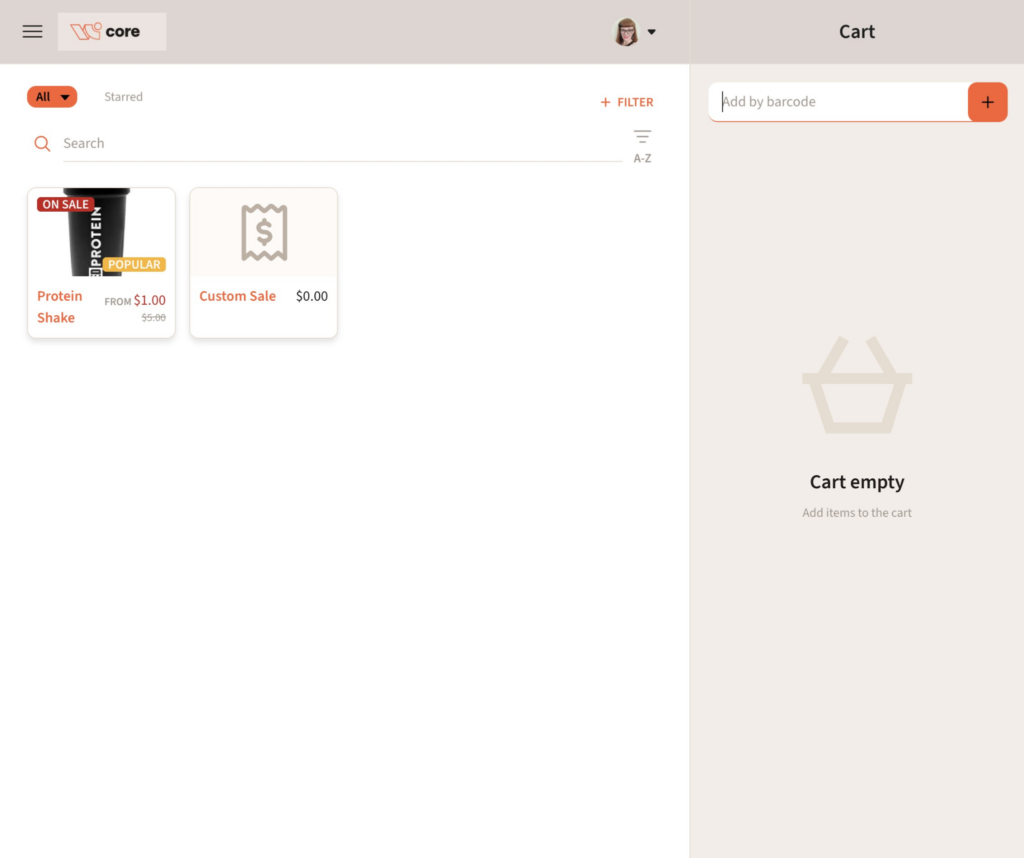
Wodify supports in-person point of sale, mobile retail, inventory workflows, and the ability to add retail purchases to an upcoming invoice.
Reporting should answer business questions, not simply produce raw data.
Useful gym management reports include revenue by membership or service, attendance trends, failed payments, lead conversion, member retention, class utilization, and staff or payroll information. Multi-location businesses also need a way to see performance across locations without maintaining separate spreadsheets.
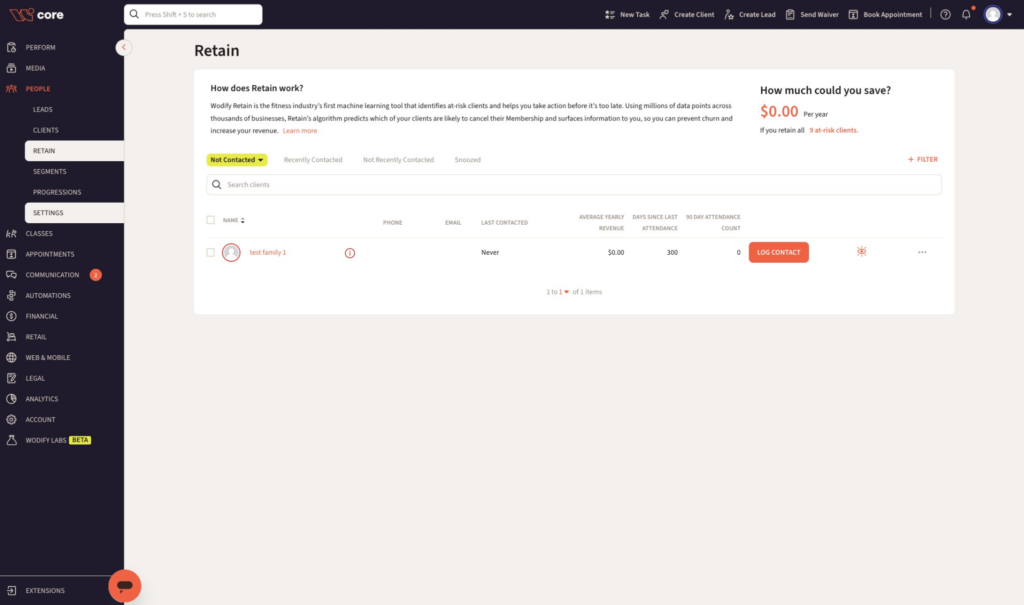
The best gym management software makes these numbers available while the information is still useful. Wodify includes pre-built reporting, Insights dashboards on applicable plans, and a custom report builder on its highest current plan.
Alchemy 365 illustrates why connected reporting and operations matter. The two-location boutique business manages more than 1,000 active members and says it consolidated outside services after moving to Wodify, while also adopting Workflows, performance features, and member communication tools.
💪 Read how Alchemy 365 keeps their business healthy with Wodify
Automation is where many management software features produce their biggest time savings.
Common workflows include sending a welcome sequence after a lead submits a form, reminding a member about a class, creating a task when attendance drops, following up on failed payments, and moving a prospect through a sales process.
Integrations matter when another system does a job better. Accounting software, website forms, access hardware, marketing platforms, ClassPass, fitness trackers, and other specialized systems can all sit around the core management platform.
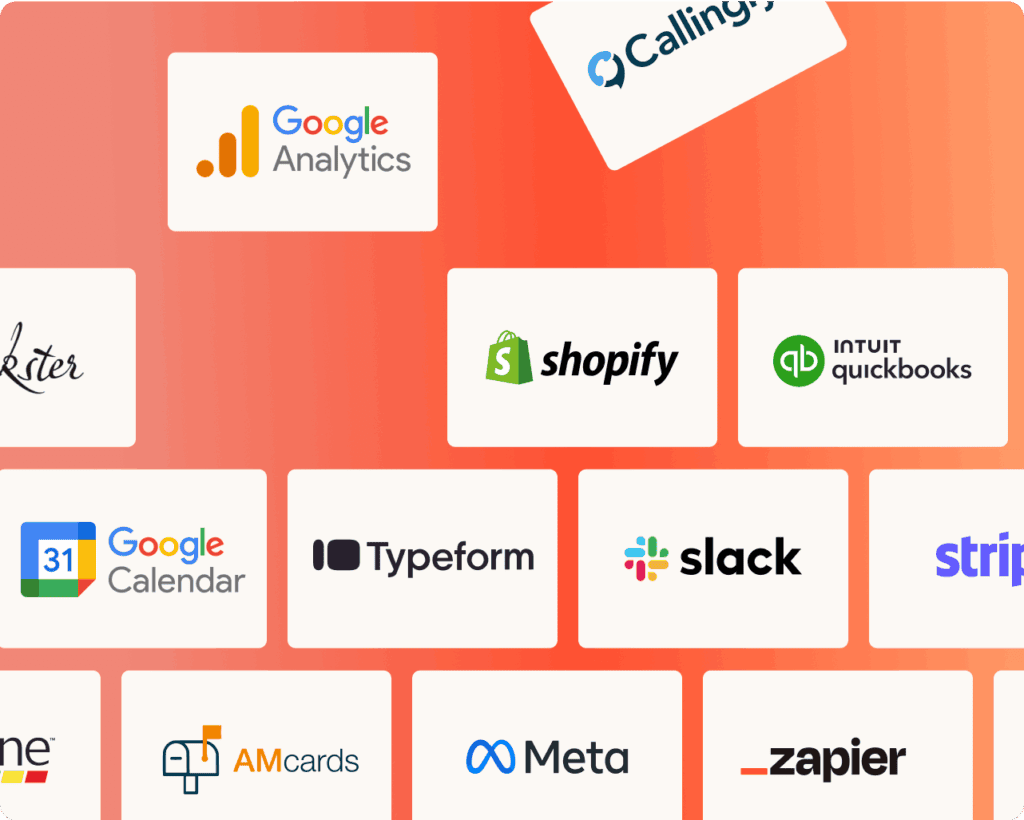
Wodify integrates with tools including QuickBooks, ClassPass, Facebook Leads, Slack, Shopify, and Zapier. It also offers API access on applicable plans and MCP access for connecting Wodify data with supported AI tools.
The buyer question is not “How many integrations are there?” It is “Will my important data move where it needs to go without someone copying it by hand?”
Gym software can contain contact information, signed agreements, payment records, staff information, and other sensitive data. Security belongs on the feature checklist.
Ask about role-based access, account permissions, payment handling, data exports, backups, deletion procedures, and what happens to your data if you leave.
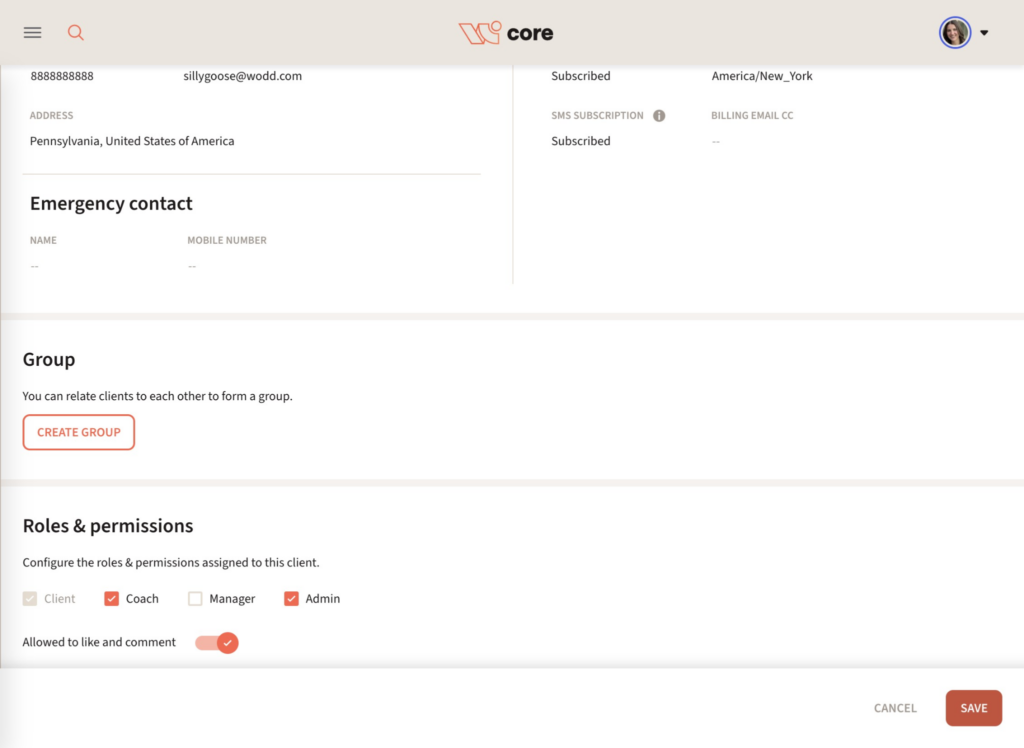
Wodify uses predefined Client, Staff, Coach, Manager, and Admin roles with different access levels. Buyers that require highly granular custom roles should note that these roles cannot currently be redesigned from scratch.
That type of detail is worth testing during a demo. “Has permissions” and “has the permissions our business needs” are not always the same thing.
Price should be evaluated as total operating cost, not just the advertised monthly subscription.
Universally across the industry, additional typical costs that fitness business owners should plan for include:
Wodify currently uses per-location pricing across Essentials, Accelerate, and Ultimate. Wodify’s pricing starts at $99 monthly with a vast set of features and capabilities between plans that more than pay for themselves.
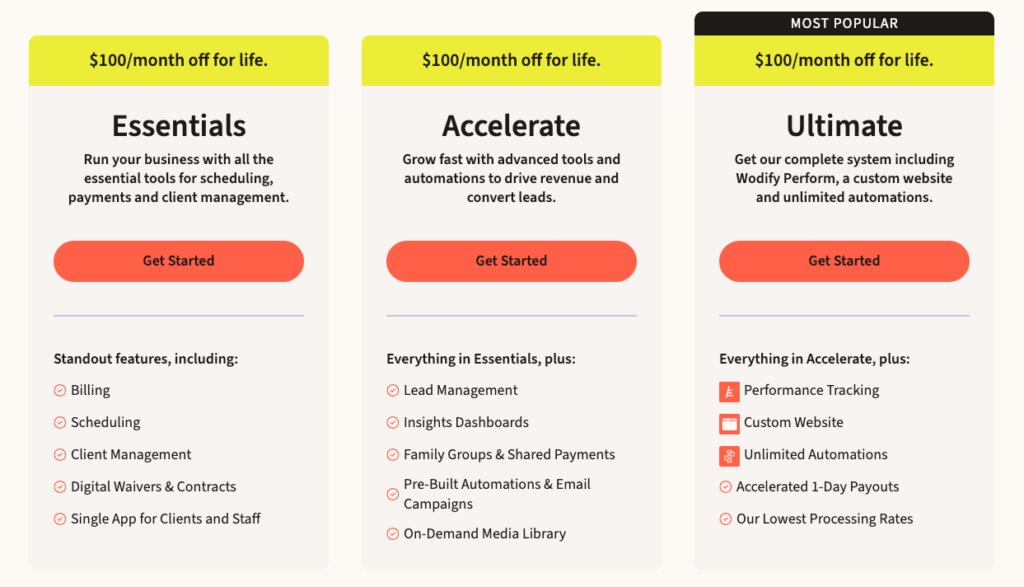
When comparing gym management software prices, also calculate what you can remove from your existing stack. A cheaper subscription can become more expensive if you still need separate software for CRM, SMS, payments, reporting, workout tracking, or access.
Searches for “gym management software free” usually reflect one of two needs: a new business trying to control costs or an established operator trying to test software before committing.
Free gym software can work for basic member lists or simple booking, but limits often appear around automations, payment processing, staff permissions, reporting, integrations, support, branding, or data volume. For a closer example, see the truth behind PushPress’ free plan.
For a true fitness business, evaluate what happens after the free tier stops being enough. Migration cost, staff retraining, and lost history can outweigh the initial savings.
Wodify is a paid gym management platform and uses guided demos rather than positioning the core platform as free software. Plus, you get the premium support and the community of thousands of gym owners like you.
Before choosing a gym management system, confirm:
The goal isn’t to scare you. You want to avoid any surprises. We feel that ultimately Wodify provides the best overall value for fitness businesses than any other gym management platform.
Ready to see how Wodify can transform your gym member experience? Book a personalized demo to test and see exactly how it helps you build a stronger business.
The most important gym software features are membership management, booking and class scheduling, automated billing, payment processing, check-ins, member communication, reporting, staff permissions, and a member-facing mobile app. These features cover the basic lifecycle from a new member joining through booking, payment, attendance, and retention.
More advanced fitness businesses may also need trainer management, performance tracking, marketing automation, family accounts, multi-location reporting, retail, 24/7 access, or specialized integrations.
Membership software primarily manages member records, plans, renewals, payments, and account status. Gym management software generally covers a broader operating system that also includes scheduling, check-ins, staff management, communication, reporting, sales, and other daily workflows.
Many modern platforms now combine both. The distinction matters most when comparing a focused membership database with an all-in-one gym management system.
Gym software can help identify the behaviors that often come before cancellation, such as falling attendance or disengagement, and make it easier for staff to respond. Attendance tracking, automated reminders, communication tools, and at-risk member reporting give coaches better signals for outreach.
Software does not create member retention by itself. Coaching quality, relationships, results, and community still do the real work. The software helps staff see when attention may be needed.
Norem ipsum dolor sit amet, consectetur adipiscing elit. Etiam eu turpis molestie, dictum est a, mattis tellus.
Already know which provider you want to select?
Click “Sign up Now” to lock in your choice and pick your start date. It’s quick and easy!
Looking for a bit more information or guidance? Click “Talk to Us” to arrange a call with us. We’ll help you find the perfect program tailored to your needs.
Norem ipsum dolor sit amet, consectetur adipiscing elit. Etiam eu turpis molestie, dictum est a, mattis tellus.
Norem ipsum dolor sit amet, consectetur adipiscing elit. Etiam eu turpis molestie, dictum est a, mattis tellus. Sed dignissim, metus nec accumsan.
Norem ipsum dolor sit amet, consectetur adipiscing elit. Etiam eu turpis molestie, dictum est a, mattis tellus. Sed dignissim, metus nec accumsan.
We’ll let you try Wodify for yourself and get a feel for what it can do for your business. A Wodify rep — a real person — will walk you through every feature.




"Wodify transformed how we run the gym. I now have more time to focus on growing my business and helping members thrive."Dana Bradley, Owner of Westside Fitness
Click “Talk to Us” to arrange a call so we can discuss the flexible access options that best fit your facility.
Click “Book a Demo” to learn more about how Wodify can help your business grow.
Your branded app is one conversation away. Click “Talk to Us” and our team will walk you through everything you need to get started.
Click “Book a Demo” to learn more about how Wodify can help your business grow.