


Try the #1 software for $1/month.
Norem ipsum dolor sit amet, consectetur adipiscing elit. Etiam eu turpis molestie, dictum est a, mattis tellus. Sed dignissim, metus nec accumsan.

Uncategorized

Martial arts school software should support the daily work of teaching classes, managing students, tracking belt promotions, and collecting payments. Compare platforms by how well their scheduling, membership management, billing, CRM, and student-tracking tools fit the school’s current operations and growth plans.
This guide explains how to evaluate martial arts software for a dojo, academy, BJJ school, karate school, taekwondo program, or MMA gym. The right platform should match the school’s size, teaching style, programs, and goals without adding unnecessary complexity.
A 30-student taekwondo school may need different tools than a 200-student MMA gym with competition teams. The selection process should account for current needs and expected changes over the next two to three years.
Use the following matrix to compare vendors during demonstrations. Ask each provider to show the workflow in a live account or trial, rather than relying solely on a feature list.
| Martial arts needs | What the software should support | What to look for |
| Classes, instructors, and rooms | Recurring classes, instructor assignments, room availability, capacity limits, waitlists, and private lessons | A demonstration of creating overlapping programs and resolving a room conflict |
| Attendance and rank progression | Mobile check-in, attendance history, configurable rank structures, skills checklists, promotion approvals, and testing eligibility | A sample student record showing attendance, time in rank, curriculum progress, and promotion history |
| Tuition and testing fees | Recurring billing, class packs, testing fees, family payments, failed-payment retries, reminders, and payment reports | A test invoice, failed-payment workflow, family account, and testing-fee charge |
| Leads and enrollment | Trial registration, lead capture, follow-up tasks, lead scoring, nurturing, and conversion tracking | A trial lead moving from inquiry to enrollment |
| Waivers and contracts | Digital liability forms, contracts, photo releases, competition consent, signatures, and renewal records | A parent completing a waiver on a mobile device and staff retrieving it later |
| Revenue and retention | Revenue, cash flow, revenue-per-member, cohort, lead, attendance, churn, and at-risk-member reports | Sample dashboards and an export of the underlying report data |
| System migration | Student, family, billing, waiver, attendance, rank, lead, and reporting history migration | A written migration scope, data template, export format, timeline, and validation process |
Use the following matrix to compare vendors during demonstrations. Ask each provider to show the workflow in a live account or trial, rather than relying solely on a feature list.

A school that relies on spreadsheets, paper sign-in sheets, and manual billing can lose time to administrative work. Staff may chase expired cards, miss belt-test reminders, or overlook a trial student who needs follow-up.
Integrated martial arts management software can automate payment processing, record attendance, and send scheduled reminders. Staff can also use the same system to track trial students, follow-up tasks, memberships, and communication history.
Martial arts software brings class scheduling, student records, memberships, billing, and communication into one system. A management platform gives schools a central place to manage daily operations as they add classes, instructors, or locations.
A complete platform should manage more than a class calendar. Buyers should confirm that it supports:
Martial arts businesses often need family billing, youth-program communication, and curriculum records across disciplines such as Brazilian Jiu-Jitsu, karate, and MMA. Before choosing software, each vendor should demonstrate how it handles belt-test fees and uses attendance records for promotion decisions.
Before you book a demo, spend an hour mapping your daily, weekly, and monthly admin tasks. Document how trial students sign up, staff schedule classes and assign instructors, and your school manages shared rooms. Also record how you track belt eligibility, collect tuition, and follow up on failed card payments.
Create a requirements checklist before you compare martial arts school software. Include recurring tuition billing, family payments, testing fees, failed-payment follow-up, belt tracking, and attendance, then ask each vendor to demonstrate the workflows your school uses.
Include your staff in this process. The front desk person who handles check-ins and the head instructor who logs promotions will have insights you’ll miss.
Create a one-page requirements checklist and use it in every vendor demo. Ask each vendor to show the same workflows, so you can compare the results against your school’s needs.
Staff members should participate in the evaluation. The front-desk employee who handles check-ins and the head instructor who records promotions may identify workflow requirements that owners miss.
These are the non-negotiable capabilities martial arts school software should handle well, regardless of which vendor you choose.
Essential martial arts software features include:
When comparing martial arts software, confirm how each system manages family accounts, recurring tuition billing, payment reporting, attendance, and belt or rank tracking. Wodify brings family accounts, automated recurring billing, class scheduling, online booking, attendance tracking, and communication tools into one system; ask vendors to demonstrate how they handle testing fees and belt promotions for your programs.
Martial arts schools need scheduling software that manages recurring class templates, instructor schedules, class caps, waitlists, and rules for late cancellations or no-shows. It should also support online booking and trial-student management.
Good scheduling software supports both group classes and private lessons, with easy rescheduling from web and mobile views. Members should be able to book classes online without back-and-forth communication.
Ask each vendor to demonstrate mobile check-in, QR or barcode check-in, and front-desk tablet check-in. Confirm whether its attendance reports identify members with repeated absences or retention risk. Also ask the vendor to demonstrate how attendance data supports belt or rank progression and class-count eligibility for testing fees.
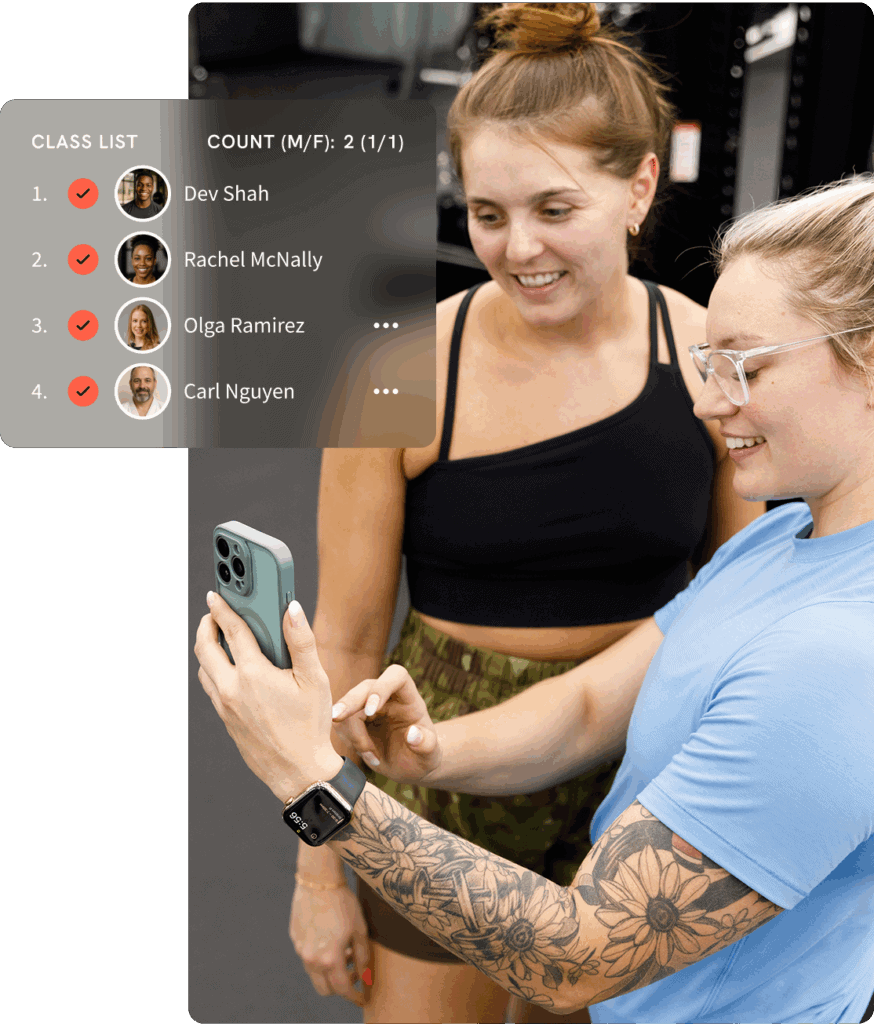
Recurring tuition billing helps martial arts schools collect payments on schedule as enrollment grows. Manual billing requires staff to follow up on missed payments and makes monthly revenue harder to forecast.
Automated billing features in martial arts management software streamline financial operations by generating invoices, sending payment reminders, and securely processing online payments. Standard capabilities include:
Automated billing can generate invoices, send payment reminders, and securely process online payments. Wodify Payments is an integrated billing and financial-management hub that works with Stripe. Schools should verify supported payment methods, transaction fees, dispute handling, and how processing fees are passed to members.
Choose payment software that meets PCI compliance requirements. Ask vendors how they store payment information, which party handles compliance, and how billing mandates transfer during migration.
Ask vendors about payment processing fees, contract terms, dispute handling, and how they report collected payments and failed-payment activity. Wodify supports automated billing attempts and family billing for fitness and martial arts businesses, helping owners monitor recurring revenue.
Martial arts schools need flexible pricing options: unlimited monthly memberships, limited-class punch cards, trial offers, seasonal camps, and tournament fees. Choosing the right pricing models for martial arts is essential to balance revenue, retention, and perceived value. For family programs, martial arts software should allow a single payer to manage multiple students and automate recurring tuition billing.
Choose software that supports multiple membership types per student without messy workarounds. Membership management rules should be clearly configurable:
Check whether discounts, family plans, and referral credits are handled automatically. Arts school management software from providers like Wodify is built to support layered products like memberships, add-ons, and retail in a single interface.
Built-in email and SMS tools can automate missed-class notifications, billing reminders, and marketing messages. Keeping those communications in the martial arts software helps staff send timely updates about schedule changes, belt tests, and closures.
Workflow automation tools integrated into martial arts management software can help schools attract and retain students by automating communication and promotional campaigns. Look for solutions that can send targeted messages, such as only white belts, only parents of kids in programs, or only students who haven’t attended in 10 days, rather than blast emails that are irrelevant to everyone.
Digital waivers should be online-signable forms for liability, photo/video releases, and competition consent, stored in each student’s profile. Parents should be able to complete them on a mobile device during sign-up, with a record of when they were signed.
Wodify keeps communication history, waivers, and attendance records together, so staff can review each student’s key information in one place.
Martial arts studio software should report revenue, attendance trends, student engagement, and retention metrics in one place, so owners can review performance without manual tracking.
Look for advanced reporting that shows:
Use attendance-based alerts and at-risk student lists to identify members who need follow-up. Look for software that turns these signals into follow-up lists and automated reminders.
Track 1-2 simple KPIs like monthly churn rate and average revenue per member to measure whether your new software is actually improving business operations.
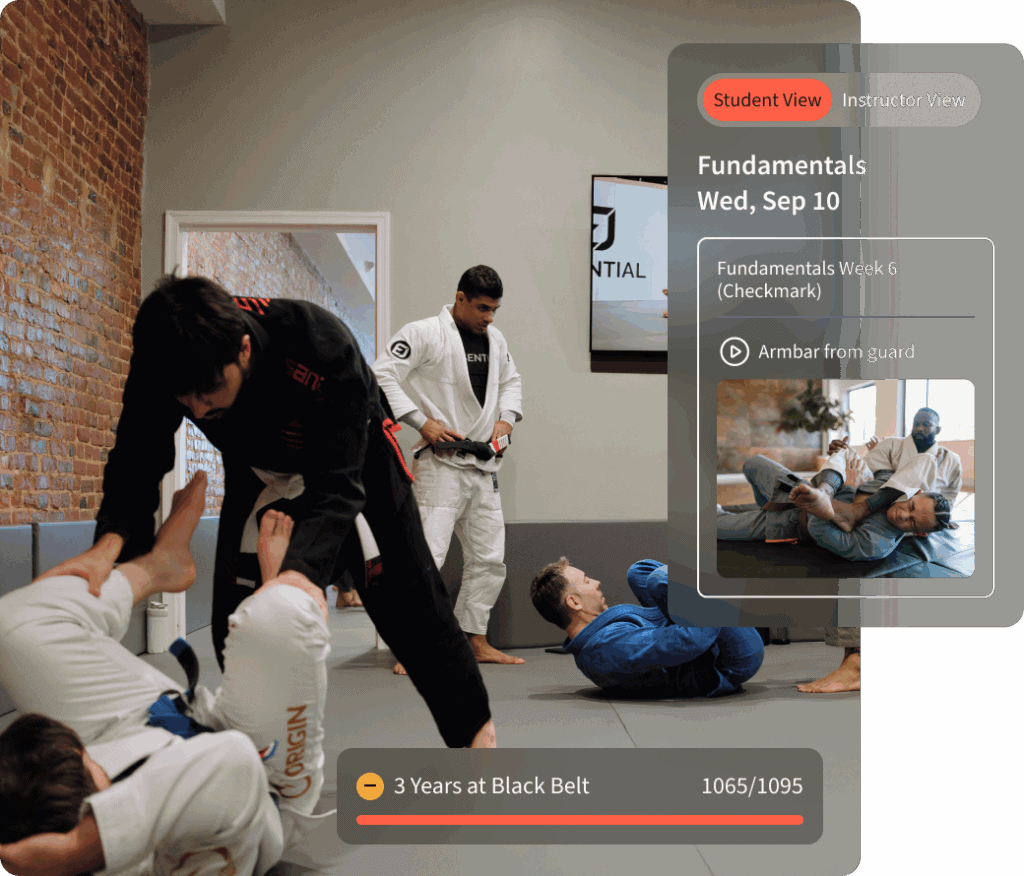
Generic gym CRMs may lack, or handle poorly, capabilities central to martial arts programs. Buyers should verify these workflows directly instead of assuming that a general membership platform supports them.
Attendance tracking and promotion tracking are related but separate functions. Attendance shows whether a student attended class. Promotion tracking should also account for the school’s rank structure, time in rank, curriculum requirements, skills checklists, testing results, and instructor approval.
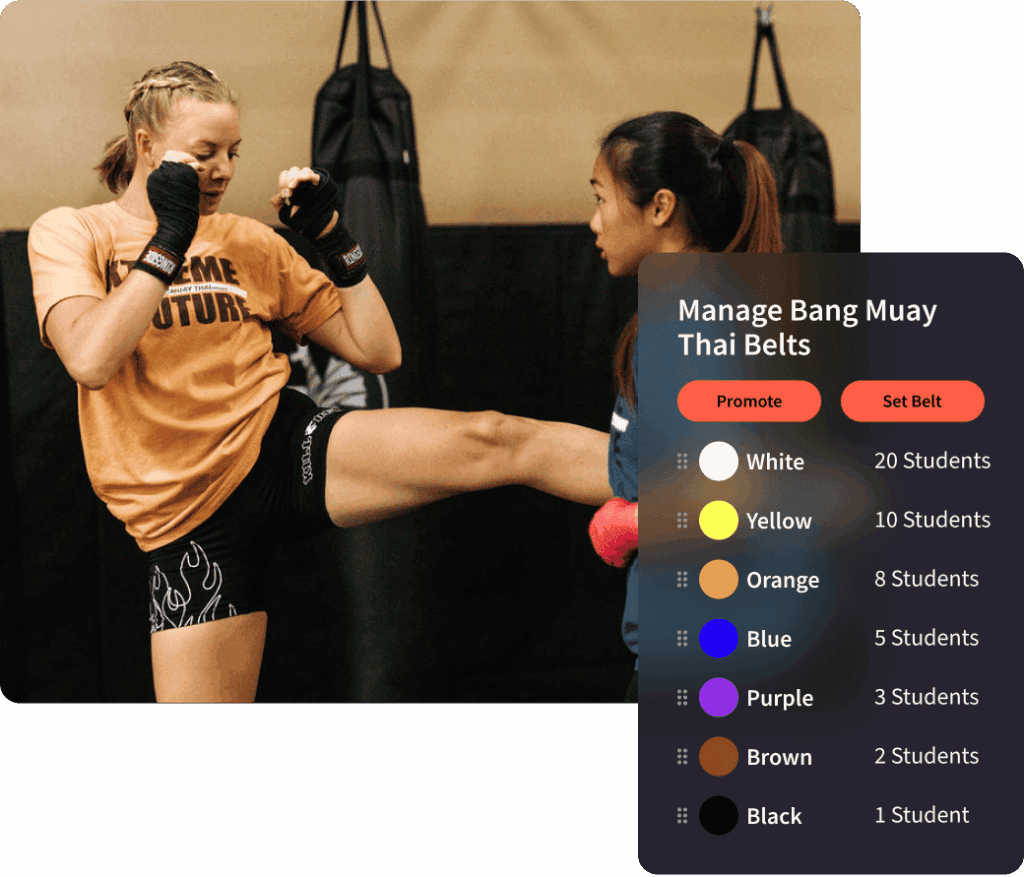
Belt and rank tracking software should store:
The system should support custom rank structures and requirements for each program. Kids’ BJJ, adult BJJ, and Muay Thai may use different progression systems.
Ask vendors to demonstrate how instructors can:
Wodify’s Progressions and Belt Tracking capabilities are designed for rank structures, belt tests, requirements, skills checklists, and promotion tracking. The school should confirm the exact configuration options for its disciplines before signing a contract.
For youth programs, choose software that lets a primary payer manage multiple students’ recurring memberships, waivers, and schedules from one family login.
Parent-friendly communication should support:
Summer kids’ programs and short-term introductory packages should be easy to create and track. Billing, attendance, and rank history should be centralized so parents can understand what they are paying for and how their children are progressing.
Platforms such as Wodify support these multi-relationship structures. During a demo, ask staff to create a family, assign different programs to each student, collect one payment, and retrieve each child’s documents and attendance history.
Competition-oriented martial arts academies may want to track strength benchmarks, sparring rounds, conditioning progress, and tournament results in the same system as classes.
Choose software that lets coaches record custom metrics and share them via your branded app. MMA and BJJ schools can use performance-gym software, including Wodify’s broader gym management platform, to manage classes and track competitions.
If you plan to add a competition team, choose software that can track these metrics so you can assess its fit for that program before committing to a system.
A simple evaluation process can help a school choose software without creating another administrative burden. Shortlist vendors, attend focused demonstrations, and run a trial period. Review customer feedback, compare pricing and implementation plans, and test data exports and migration requirements. Score each platform against the same checklist.
Even capable martial arts software can fail if front-desk staff find it confusing during peak hours. Staff should be able to check in students, view records, update memberships, and send messages quickly from desktop and mobile interfaces.
Test whether staff can add a new family, book a trial, complete a digital waiver, and check in a student without hesitation. They should also be able to freeze a membership, apply a family payment, record a rank progression, and schedule a belt exam. Ask staff to send a mass message about a weather closure, find a failed payment, and view a student’s communication history.
Martial arts academy software with a clear interface and role-based permissions is especially important for schools with part-time or rotating staff. Ask vendors how long it typically takes new staff to become comfortable and what role-specific training they provide. Confirm how they manage permissions, whether staff can complete common tasks from a mobile device, and what happens when an instructor changes. Ask whether the school can restrict access to billing or student documents.
A school switching from its current system should define the migration scope before signing a contract. The data may include student profiles and contact information, family relationships, current ranks and attendance history, memberships and upcoming billing schedules, contracts and digital waivers, and payment mandates and saved payment methods. It may also include lead records and trial history, communication history, testing and promotion history, reporting history, and instructor and class records.
Ask each vendor to show its onboarding plan, data-import templates, supported export formats, API and integration coverage, and go-live process. The vendor should also explain its data-validation procedures, staff-training plan, support commitments, parallel-billing process, and cancellation and cutover timeline.
A complete migration plan should identify who exports the old data, who maps fields, who imports the records, and who verifies the results. Confirm whether the vendor will migrate family relationships, waivers, contracts, billing mandates, attendance history, ranks, lead pipelines, and historical reports.
Clean data produces cleaner reports. Use migration as an opportunity to remove duplicate or outdated student records.
Before switching, ask Wodify or any prospective provider how they handle the import and which records they will transfer. Ask what export format the current system provides and what migration support is included. Confirm whether the school can run old and new systems in parallel, when the old billing system should be canceled, and how payment mandates will be transferred. Ask how the vendor will validate data before go-live, which integrations will continue to work, and what happens to the school’s data after cancellation.
The all-in-one software model can reduce the number of systems a school must connect, but buyers should still confirm integrations with accounting, email, websites, payment providers, and access-control tools.
Compare the full cost of each platform, not just the monthly subscription. Include base software fees, per-student charges, payment-processing costs, SMS usage, setup or migration fees, branded app charges, and website or marketing add-ons. Review the contract length, auto-renewal terms, cancellation requirements, data-export fees, and staff-training costs.
The pricing model should fit the school’s current enrollment and expected growth. Ask whether the platform charges by location, member count, feature tier, transaction volume, or a combination of factors.
| Cost factor | Questions to ask |
| Base fee | Is pricing flat, tiered by students, or based on locations? |
| Included features | Are billing, CRM, reporting, waivers, and belt tracking included? |
| Processing | What is the payment-processing markup, and can fees be passed to members? |
| Extras | Are there SMS overages, setup fees, app fees, or reporting add-ons? |
| Migration | Is data migration included, and what records will the vendor transfer? |
| Contracts | What are the contract length, auto-renewal, and cancellation terms? |
| Data access | Can the school export its records before cancellation? |
Model 12- and 36-month costs for each vendor. Schools should calculate total cost based on their enrollment, payment volume, and feature requirements when comparing flat-rate and tiered pricing.
Schools should also decide whether to pass processing fees on to members. Review the effect on tuition communication, family billing, refunds, and member experience before enabling the option.
A school planning to add locations should also consider whether the software can scale the business with multi-location support, centralized reporting, and location-level permissions.
Wodify’s pricing is structured to grow with martial arts businesses. Plans start at $99 per location per month. A school should confirm current pricing, included features, processing costs, and contract terms before deciding.
The best martial arts school software provides responsive support, useful integrations, and room for your school to grow. Choose a vendor that can support you during onboarding and throughout your ongoing use of the system.
Get clear on the availability of support during and after onboarding:
Check for training resources like help centers, video walkthroughs, and webinars tailored to martial arts use cases. Ask Wodify how its customer success team supports owners during onboarding and ongoing use of the system.
This 30-day plan helps busy martial arts school owners compare software based on the workflows they need, including class scheduling, recurring tuition billing, and member management. Use it to evaluate each platform against your school’s daily operations before you switch.
Spend a few hours mapping key workflows, including student sign-up, trial handling, class and instructor scheduling, belt tracking, and tuition collection. Create a must-have features checklist. Shortlist 3-5 vendors based on martial arts fit, reviews, transparent pricing, and feature match. Include at least an all-in-one platform, such as Wodify, in your shortlist. Schedule your software demos with prepared questions.
Use the same checklist for every demo, and include staff who handle daily operations. In each trial, set up classes, assign instructors, add students, and run a recurring tuition payment. Ask the vendor to demonstrate how it handles testing fees and whether it can schedule rooms, then record what works well and what causes confusion. Prioritize workflows your martial arts school uses every day.
Narrow your choices to a few finalists. Request detailed pricing, contracts, and implementation plans. Schedule onboarding calls to plan data migration and go-live. Train staff on key daily tasks, including check-ins, promotions, and billing. Consider staged rollouts starting with new sign-ups, then migrating existing members. Before you choose a provider, confirm who owns each migration step, which records will move, and how the vendor will verify the data before go-live.
The right martial arts software should simplify daily operations, support retention, improve the student experience, and help the business grow over time. Select management software based on how well it fits your specific martial arts workflows, rather than on brand name or lowest price.
When comparing martial arts software, look for class scheduling, automated recurring tuition billing, family accounts, belt tracking, digital waivers, communication tools, and clear reporting.
Think a few years from now: will the right platform still work if you double enrollment, add instructors, or open multiple locations?
Wodify gives established schools and growing martial arts studios an all-in-one platform for scheduling, automated billing, family accounts, and reporting as their businesses grow. If you’re ready to see how your workflows would look inside a modern martial arts studio software, book a personalized demo and put it to the test.
How does a school know when it is ready for management software?
A martial arts school is ready for management software when manual administration starts taking staff time away from students or creates gaps in billing, attendance, communication, or follow-up. Schools with 30–40 students can benefit from keeping class schedules, billing, attendance, and waivers in one system, especially if they plan to grow.
Common signs include staff regularly chasing payments, inconsistent attendance records, missed parent updates about schedules or belt tests, and trial leads that do not receive timely follow-up. Family billing that requires manual work, several disconnected tools, and limited visibility into revenue or retention also point to a need for a central system.
What is the best martial arts CRM for a school?
The best martial arts CRM for a school connects lead capture, trial booking, follow-up, attendance, and membership conversion within the school’s daily workflow. The right choice depends on lead volume, enrollment process, communication needs, and reporting requirements.
A useful CRM should create a lead record from an inquiry, schedule a trial, send waiver requests and reminders, assign staff follow-up, and record membership conversion. Wodify is an option for schools that want CRM, membership, billing, attendance, and communication tools in one platform. Its lead management tools include a conversion board, lead nurturing, conversion automations, and lead scoring.
During a demonstration, ask the vendor to show a new lead entering the system, trial scheduling, waiver completion, automated reminders, follow-up tasks, conversion to a membership, and lead-source reporting.
What is the best martial arts software for 2026?
Wodify is an all-in-one martial arts school software option for businesses that need online class scheduling, family accounts, membership management, and automated recurring tuition billing.
Other options include Kicksite, which suits schools with fewer than 50 students. Gymdesk offers budget-friendly core features, but with some caveats. Providers with “free” plans often have limited features, a cap on the number of members, or take a significant cut from every transaction.
Can martial arts software integrate with my existing website?
Martial arts software can integrate with an existing website through embeddable booking widgets, lead forms, and class timetables. Before choosing a platform, schools should confirm that it connects with the website, email, accounting, payment, and access-control tools they already use.
The integration should support real-time schedule updates, online enrollment, trial forms, waiver collection, and data synchronization. Wodify includes built-in marketing tools and a website builder, which allows schools to manage key website and lead-generation tools in one platform. Ask the vendor to demonstrate how an online form or booking moves into the student or lead record.
How should a martial arts school evaluate cloud-based data security?
A school should evaluate cloud-based data security by confirming how the vendor protects records, controls access, creates backups, and handles data after cancellation. Look for encryption, secure data centers, role-based access controls, regular backups, clear data-hosting policies, and defined data-retention and export procedures.
Ask where the vendor hosts data, how often it backs up records, and who can access student information. Confirm how the vendor protects sensitive information during migration and whether staff can restrict access to billing, contracts, and student documents. Cloud solutions can reduce the risk of data loss from stolen devices or physical disasters, but schools should still verify what happens to their records after cancellation.
Read the guide to switching to Wodify for practical migration guidance.
How can a martial arts school get its team on board with new software?
A school can get its team on board with new software by involving key staff early and training each person on the tasks they perform every day. Clear expectations, hands-on practice, and quick-reference guides help staff adopt the system consistently.
Focus training on check-ins, trial follow-up, promotions, billing changes, family account management, digital document retrieval, and reports. Let staff test these workflows before go-live so they can raise concerns about busy front-desk periods, instructor handoffs, or parent questions.
Ask vendors whether they provide role-specific training for staff who handle check-ins, promotions, billing changes, and lead follow-up.
What CRM platforms do gyms commonly use?
Gyms commonly use CRM and management platforms such as Wodify, Mindbody, PushPress, Zen Planner, Vagaro, and Glofox. These platforms can manage billing, scheduling, member records, and class booking, though their support for martial arts-specific workflows varies.
The right CRM depends on business size, programs, required automation, and the need for martial arts-specific workflows such as family billing, belt tracking, testing fees, and youth-program communication. Wodify combines core operations with lead management, attendance tracking, digital documents, family billing, and business insights. Schools should compare each platform by asking vendors to demonstrate the same enrollment, billing, attendance, and reporting workflows.
Norem ipsum dolor sit amet, consectetur adipiscing elit. Etiam eu turpis molestie, dictum est a, mattis tellus.
Already know which provider you want to select?
Click “Sign up Now” to lock in your choice and pick your start date. It’s quick and easy!
Looking for a bit more information or guidance? Click “Talk to Us” to arrange a call with us. We’ll help you find the perfect program tailored to your needs.
Norem ipsum dolor sit amet, consectetur adipiscing elit. Etiam eu turpis molestie, dictum est a, mattis tellus.
Norem ipsum dolor sit amet, consectetur adipiscing elit. Etiam eu turpis molestie, dictum est a, mattis tellus. Sed dignissim, metus nec accumsan.
Norem ipsum dolor sit amet, consectetur adipiscing elit. Etiam eu turpis molestie, dictum est a, mattis tellus. Sed dignissim, metus nec accumsan.
We’ll let you try Wodify for yourself and get a feel for what it can do for your business. A Wodify rep — a real person — will walk you through every feature.




"Wodify transformed how we run the gym. I now have more time to focus on growing my business and helping members thrive."Dana Bradley, Owner of Westside Fitness
Click “Talk to Us” to arrange a call so we can discuss the flexible access options that best fit your facility.
Click “Book a Demo” to learn more about how Wodify can help your business grow.
Your branded app is one conversation away. Click “Talk to Us” and our team will walk you through everything you need to get started.
Click “Book a Demo” to learn more about how Wodify can help your business grow.